

Which IT Career Should You Actually Study? An Honest Guide for Confused Students
Guide Objective
An honest overview of tech careers written for students to compare programming, visual design, cyber security, data analytics, and IT support before enrolling in programs.
Last Fact-Checked: June 27, 2026
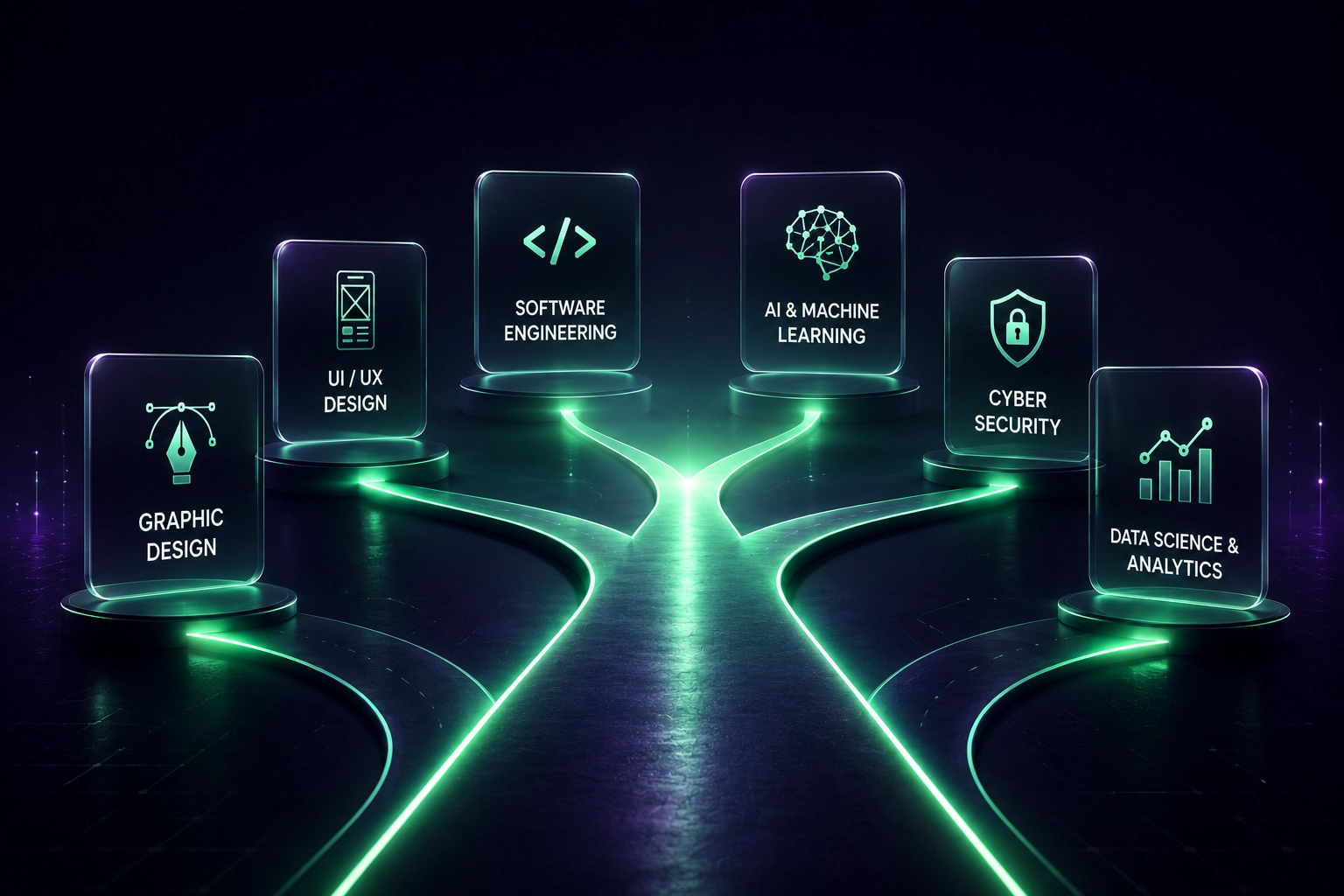
When my parents enrolled me in an IT program I had no idea what I was actually signing up for.
I thought IT meant computers and technology in a general sense. A month into the program I realized they were teaching me how to fix CPU parts, diagnose hardware faults, and troubleshoot physical computer components. That was not what I wanted at all.
So I left and went to study multimedia design instead. That was what I actually wanted. Visual work. Creative tools. Something I could see and interact with immediately rather than memorizing syntax and formulas for problems I could not see.
The thing is nobody sat me down before I enrolled and explained what these different fields actually involved day to day. I had to figure it out by ending up in the wrong place first.
This guide exists so you do not have to do that.
The Most Honest Advice About Choosing an IT Career
Before looking at any list of IT careers or salary figures ask yourself one question:
"What does a typical day in this field actually look like and does that sound like something I would genuinely want to do?"
Not what sounds impressive. Not what pays the most. Not what your parents or your friends think is a good career. What does the actual daily work involve and does that match how you think and what you enjoy.
Software Developer
Typical Day
- Reading existing code
- Writing new features
- Fixing bugs
- Testing
- Problem solving
Graphic Designer
Typical Day
- Designing layouts
- Choosing typography
- Working with color
- Client revisions
- Preparing assets
If one of those lists sounds engaging to you it might be the right path. If it sounds exhausting before you have even started that is useful information too.
The point is research what these fields actually involve before you commit money and years of your life to studying one.
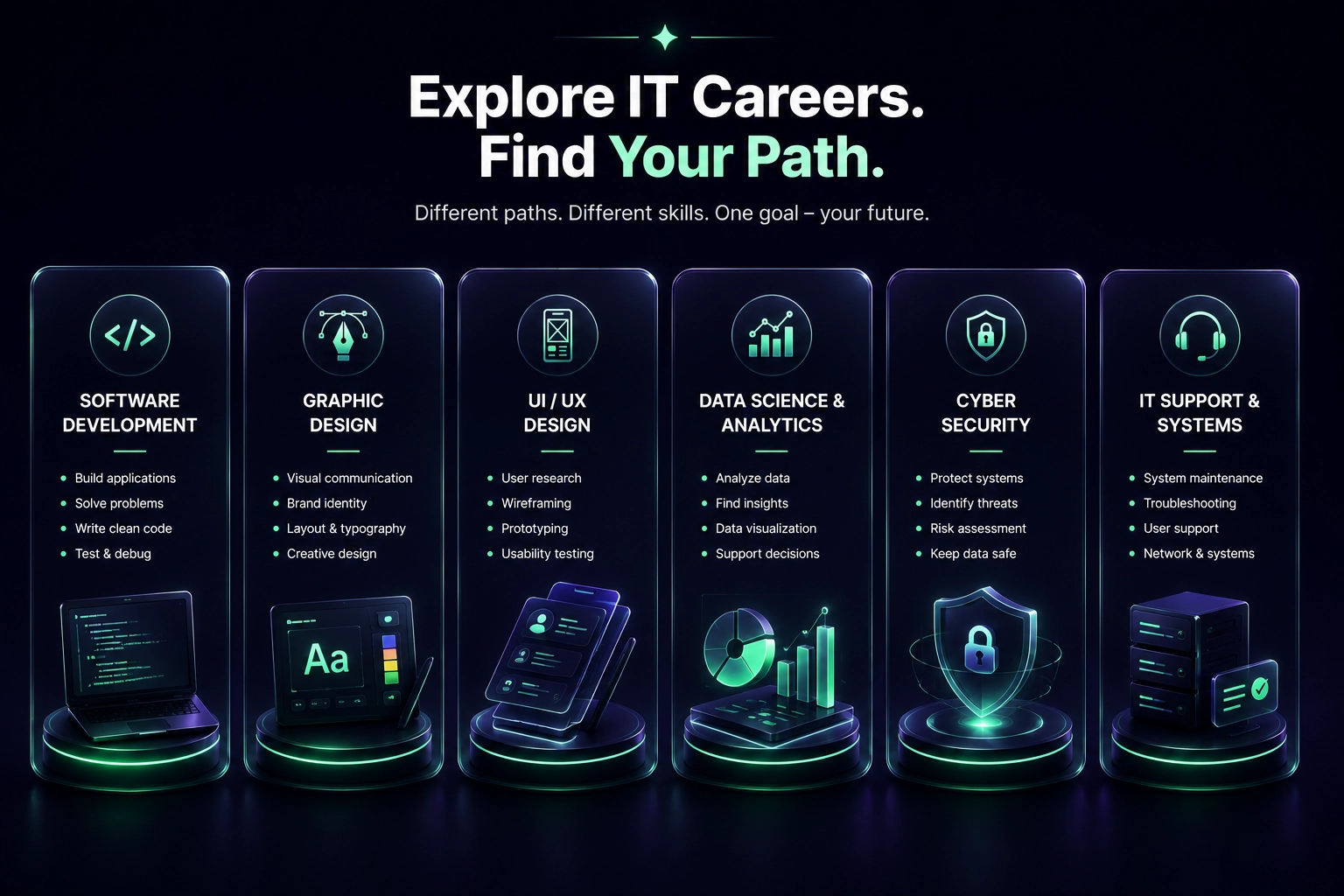
IT Career Paths at a Glance
Software Development and Coding
This is what most people picture when they hear IT career. Writing code to build websites, applications, software, and systems.
The reality of daily coding work is that it involves a lot of reading other people's code, understanding logic and problem solving, dealing with errors and bugs, and thinking in very structured and precise ways.
You cannot approximate in code.
Either it works or it doesn't.
There are different types of coding roles. Frontend developers build what users see on screen. Backend developers build the systems and databases that run behind the scenes. Full stack developers do both. Mobile developers build apps for phones. Each requires learning specific languages and frameworks. See how to frame these in our Software Developer CV Skills guide.
Learning to code is genuinely possible for most people but it requires a different kind of thinking than many other fields. If you find logic puzzles and problem solving satisfying coding might suit you well. If that kind of thinking feels unnatural and frustrating that is useful information before you commit to a three year coding degree.
When I built SmartCV Builders I learned things I had never studied formally. Alt text for images and how it affects search engine visibility. WebP image formats and how they affect loading speed. Static site generation and why it matters for performance. Git version control and how to deploy to Vercel. I learned all of these because I needed them to solve real problems, not from a classroom. That is how coding learning often works in practice. You learn what you need when you need it.
Graphic Design and Visual Design
Design is about communication through visuals. Color, typography, layout, imagery, and how these elements work together to convey a message or create an experience.
Many people think graphic design is about making things look beautiful. In reality, most professional design is about solving communication problems. A poster or a interface that looks amazing but fails to communicate its message is not successful design.
The difference I noticed between studying design and studying coding was that design tools are visible and immediate. You can see what you are doing in real time. You adjust something and you can immediately see whether it worked. That immediate visual feedback makes the learning process different from coding where the result of your work is often invisible until the code runs correctly. For detailed skill listings, see our Marketing & Design CV Skills guide.
Graphic design covers brand identity, logo design, print materials, social media graphics, packaging, and advertising. UI and UX design focuses specifically on digital product interfaces and user experience. These are related but distinct fields with different day to day work.
AI is genuinely changing design work. Tools like Midjourney, Adobe Firefly, and similar platforms are handling things that used to take significant time. A designer who understands how to work with these tools can now produce and iterate faster than ever before. This is not making design less valuable. It is changing what the most valuable design work looks like.
UI and UX Design
UI stands for user interface. UX stands for user experience. These terms are often used together but they refer to slightly different work.
UI is not making pretty screens.
UX is understanding why users struggle before drawing anything.
That immediately separates UI/UX design from pure graphic design. UI design is about the visual design of buttons, menus, screens, and layouts. UX design is about how a product works and feels from the user's perspective. Research, testing, understanding what users need, and designing flows that make sense to real people.
Data Science and Data Analysis
Data roles involve working with large amounts of information to find patterns, draw insights, and help organizations make better decisions.
A data analyst typically works with existing data, creates reports and visualizations, and answers specific business questions. A data scientist typically builds models and uses statistical methods to predict outcomes or find deeper patterns in data. See how to frame these in our Data Analyst CV Skills guide.
Both roles require comfort with numbers and statistics, and usually involve tools like SQL, Python, or R for working with data and tools like Tableau or Power BI for visualizing it.
If you are naturally drawn to numbers, patterns, and the idea of finding answers hidden in large datasets this path might suit you. If numbers and statistics feel like a foreign language that repels you it probably does not.
Cybersecurity
Cybersecurity involves protecting systems, networks, and data from attacks and unauthorized access. It is one of the fastest growing fields in IT because every organization that uses technology needs people who can protect it.
The work involves understanding how systems can be attacked, testing for vulnerabilities, monitoring for threats, and building defenses. It requires a technical mindset and genuine curiosity about how systems work and where they can fail.
Certifications like CompTIA Security+ and Certified Ethical Hacker are recognized starting points for this field.
AI and Machine Learning
This is one of the most talked about fields right now. Machine learning engineers and AI specialists build the systems that power things like recommendation engines, image recognition, language models, and prediction systems.
The honest reality is that core AI and machine learning roles require strong mathematics, statistics, and programming skills. AI engineers spend far more time preparing data, testing models, and debugging than actually building "AI."
Studying computer science, mathematics, or data science first and then specializing in AI is a more realistic pathway than trying to jump straight into AI work without those foundations.
Prompt engineering is a newer and more accessible related field. It involves designing and refining the instructions given to AI systems to get better outputs. This requires less technical background than machine learning but is also a younger field with less established career pathways.
IT Support and Systems Administration
Hardware maintenance, network management, system administration, and technical support.
These roles are often overlooked in career discussions but they are consistently in demand and provide a solid foundation for understanding how technology actually works at a practical level. Many people in more advanced IT roles started their careers in IT support. For detailed metrics, see our IT Support CV Skills guide.
Certifications like CompTIA A+ and Network+ are common starting points for this path.
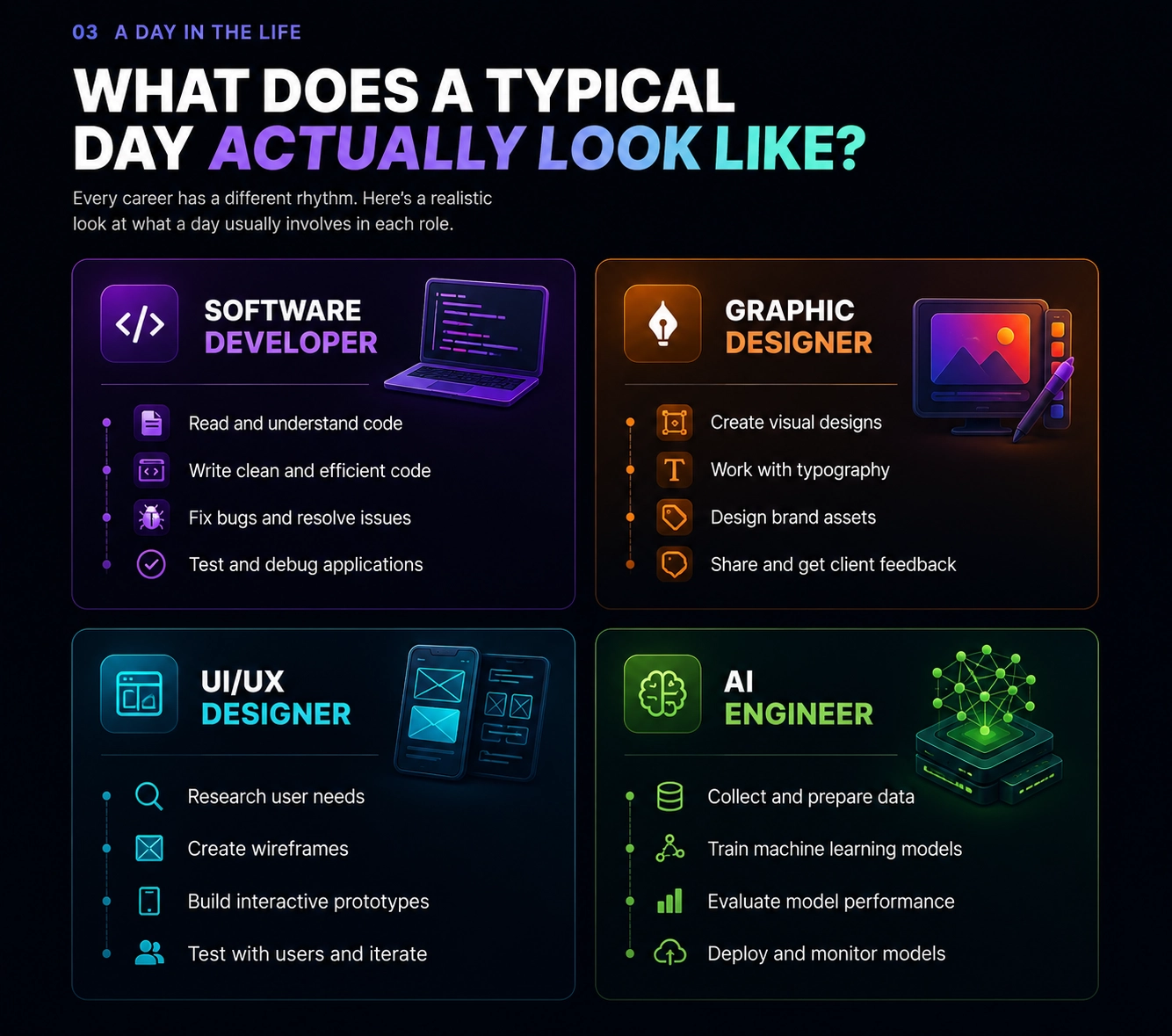
A Day in the Life — IT Careers Compared
How to Actually Figure Out Which Path Is Right for You
Do not rely on salary lists alone. A field paying high salaries today may be different in five years. More importantly a high salary in a field that makes you miserable every day is not actually a good outcome.
Search for what people actually do in each field. Watch videos of developers coding, designers working, data analysts presenting findings, security professionals explaining what they look for. Get a real picture of the daily work not just the job title.
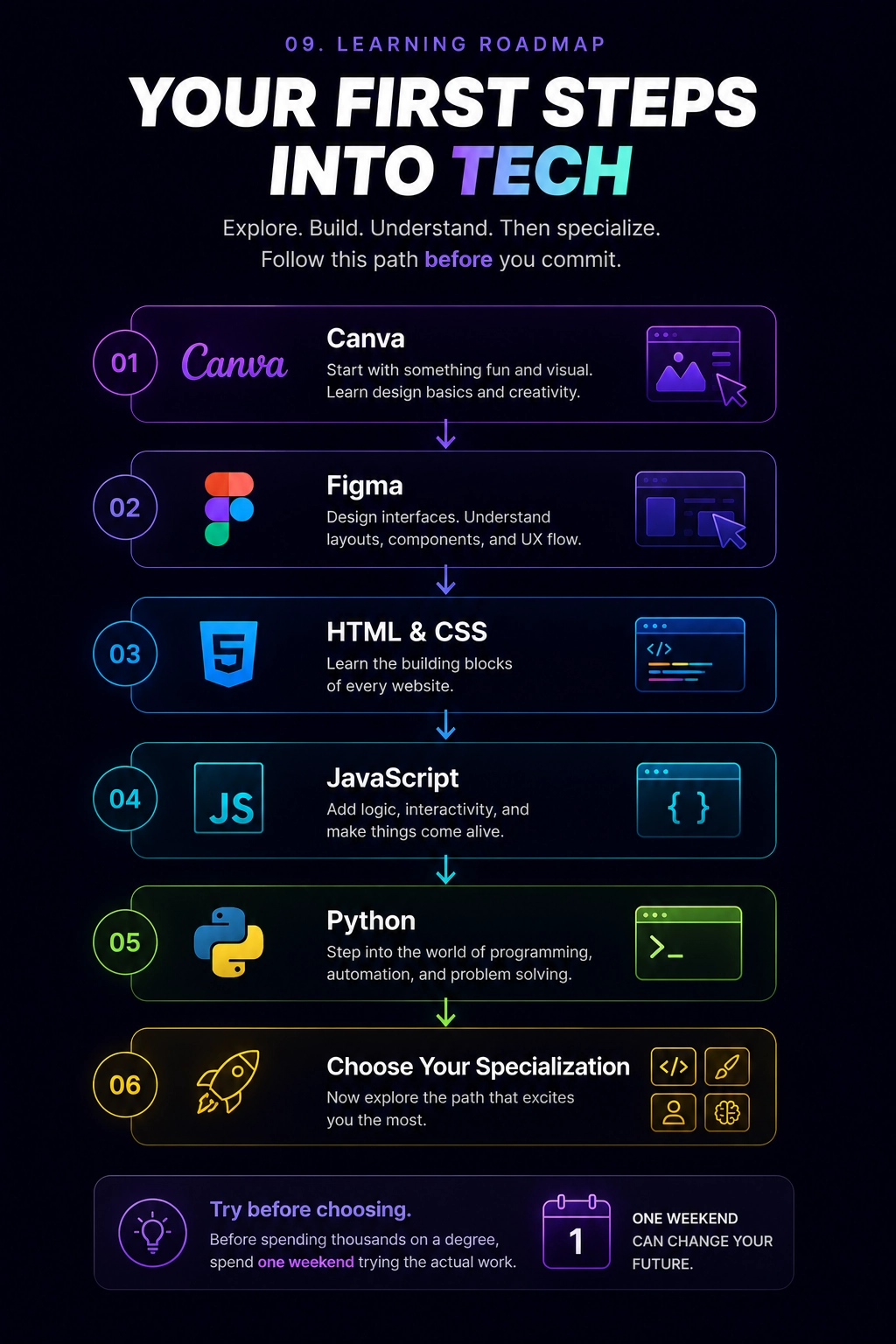
Try things before committing. Most of the tools used in these fields have free versions or free learning resources. Spend a weekend trying basic coding on freeCodeCamp. Try designing something in Canva or Figma. Run a basic data analysis in Google Sheets. See what feels natural and what feels like a struggle.
Before spending thousands of dollars on a degree, spend one weekend trying the actual work.
Try Before You Commit — Learning Roadmap (Canva → Figma → HTML/CSS → JS → Git → Python)
If after researching a field it looks like something you would genuinely enjoy doing every day then commit to it. That is really the most honest advice there is.
Building SmartCV Builders taught me more practical skills than any single course could have. Not because I am unusually talented but because I had a real problem to solve and I learned what I needed to solve it. That kind of learning happens in every IT field when you are working on something real.
Whatever path you choose the best way to learn it is to build something with it as soon as possible.
For building a CV that presents your IT skills and education clearly for employers in Asian job markets see our ATS CV guide, our Student CV guide, and our complete skills list page.
Build Your IT CV Now
Create an ATS-friendly, professional developer or designer CV for free with no login required.
Build Your IT CV FreeWho Should Probably Not Study IT
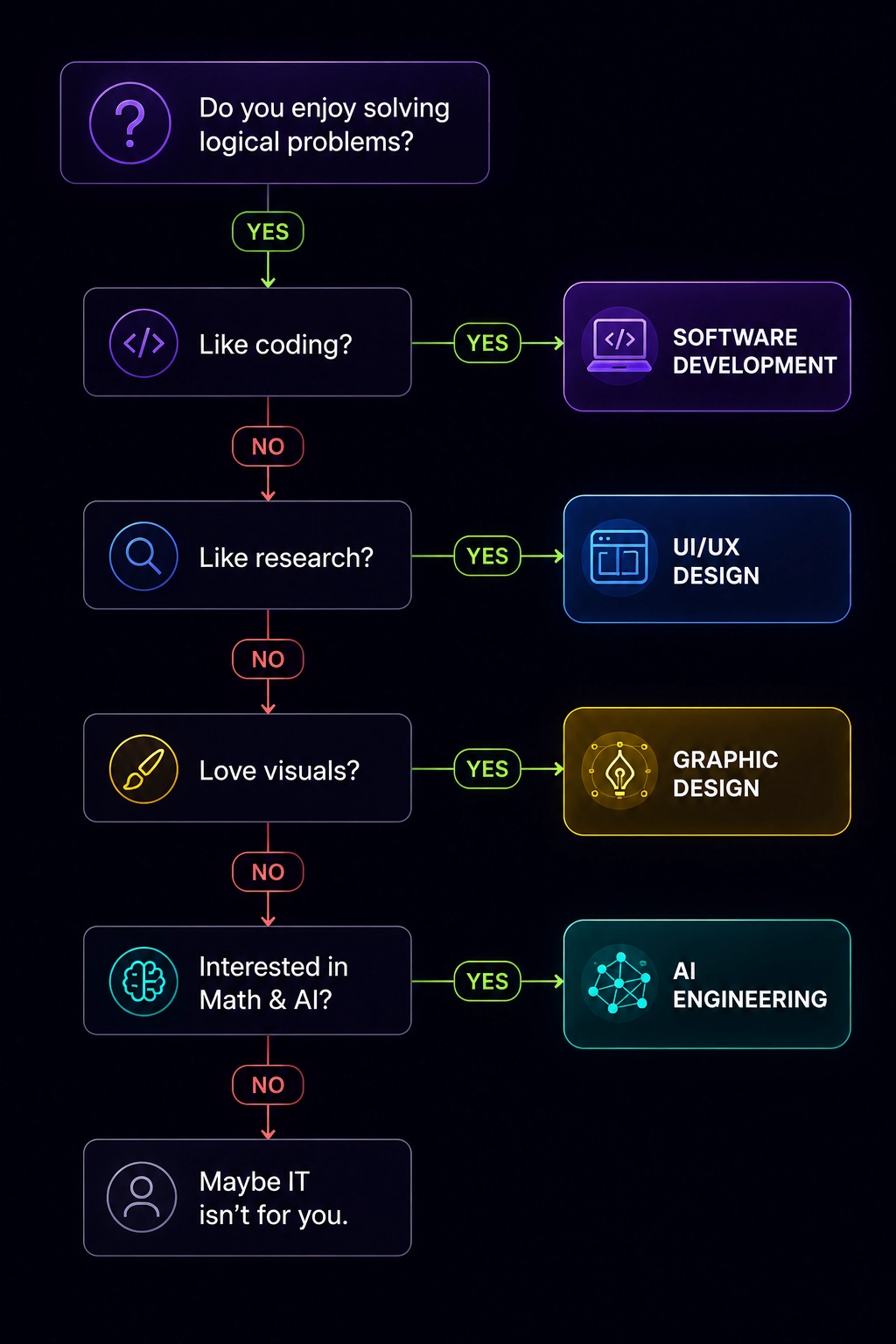
If you hate solving problems, dislike learning continuously, and are only choosing IT because someone told you it pays well, you should think carefully before enrolling.
Technology changes constantly. Every IT career requires continuous learning. If that idea excites you, you're probably on the right path. If it sounds exhausting, another field may suit you better.
Which IT Career Fits You — Decision Flowchart
Frequently Asked Questions
Do I need a degree to work in IT?
For some roles yes. For others no. Software development, data science, and cybersecurity roles at many companies will consider candidates without formal degrees if they have strong portfolios, certifications, and demonstrable skills. Graphic design and UI roles are heavily portfolio-based and many successful designers are self-taught. IT support and systems administration certifications like CompTIA are often valued as much as or more than degrees for entry-level roles.
Which IT field has the best job prospects right now?
Cybersecurity and cloud computing consistently show strong demand globally. Data science and machine learning roles are growing but are also more competitive and require stronger technical foundations. UI and UX design demand is solid particularly in tech companies. Software development remains in high demand but the market has become more competitive in some areas. The honest answer is that job prospects depend heavily on location, specialization, and the quality of your skills, not just the field name.
Is AI going to replace IT jobs?
AI is changing what IT work looks like rather than simply eliminating it. Developers who use AI tools are more productive than those who do not. Designers who work with AI can produce more in less time. Data analysts using AI can handle more complex questions. The people most at risk are those doing highly repetitive and predictable work in any IT field. The people most valuable are those who can direct, evaluate, and improve what AI produces.
How long does it take to learn coding well enough to get a job?
It varies significantly by person and by role. Some people find junior developer roles after six to twelve months of focused learning through bootcamps or self-study. Others take two to three years through formal education. The key factor is not time spent studying but the quality and specificity of what you build during that time. A strong portfolio of real projects carries more weight than years of coursework.
Should I specialize early or learn broadly first?
Learn broadly enough to understand how different areas connect, then specialize in the direction that genuinely interests you. Trying to specialize too early before you understand the landscape often leads to the same mistake I made, ending up in a field you did not actually want because you did not know what the alternatives looked like.