

Mobile CV Guide — Build and Send Your CV on Phone
You found the perfect job. The deadline is tonight. You only have your phone. Learn the exact protocol to build, format, and download a production-grade CV right from your mobile browser.
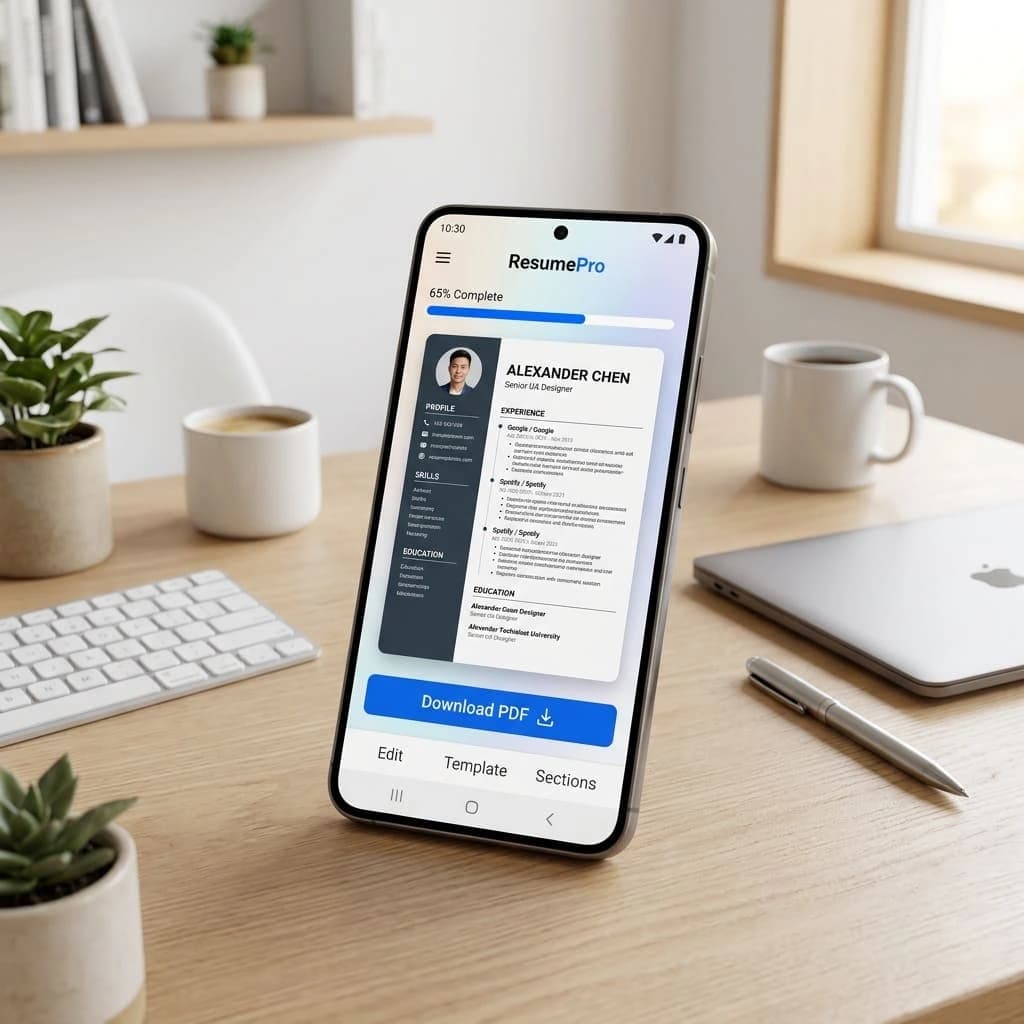
The Mobile Advantage
A good mobile CV builder lets you choose a professional template, enter your details quickly, and download a clean PDF instantly.
Browser Over Apps
Mobile browsers are stronger than ever. You do not need to install software. Just open the builder and start.
Automated Formatting
Don't fight with Microsoft Word on a 6-inch screen. Premium builders handle margin alignment and spacing automatically, ensuring a perfect CV format.
Instant PDF Export
Generate a clean, high-resolution PDF instantly. Never send a Word document from your phone—it will break on the recruiter's screen.
ATS-Grade Structures
Use templates specifically designed to render perfectly on small screens while maintaining 100% ATS transparency.
How to Build Your CV
Follow this 3-step protocol to build a professional CV from your phone without sacrificing quality.
Select a Linear Template
Choose a simple, single-column layout. It is vastly easier to edit on a small screen and significantly easier for legacy HR software to scan.
Deploy Voice Typing
Typing long summaries on a phone is slow. Use your keyboard's dictation feature to draft your experience sections, then manually refine the wording.
The Final PDF Check
Always export as a PDF. Open the PDF in your phone's native file viewer to ensure all margins and bullets rendered perfectly before emailing it.
ATS Keyword Verification
Before exporting, cross-reference your mobile draft with the job description. An ATS cannot distinguish whether you used a phone or a laptop, it only scans for keywords.
The Zero-App Mandate
"Professional CV generation does not require an app. Modern architecture allows browser-based builders to deliver desktop-grade formatting directly on iOS and Android. If a tool forces an app install, leave."
Stop downloading bloated, ad-filled resume apps that watermark your PDF.
Mistakes to Avoid
Avoid these catastrophic mistakes when building your CV on a mobile device.
Using Microsoft Word
Editing Word documents on mobile inevitably leads to broken margins and overlapping text. Use a dedicated web builder.
Overly Complex Templates
Multi-column, graphics-heavy templates are impossible to edit on a phone. Stick to a clean, authoritative single-column design.
Forgetting to Proofread
Mobile auto-correct will ruin your professional summary. Always do a manual read-through to catch auto-fill errors.
Default File Names
Sending a file named 'Untitled_Document(1).pdf' is an instant rejection. Always rename your file to 'First_Last_CV.pdf' before attaching it.
The Before & After Blueprint
Building on mobile requires a completely different tactical approach than building on a laptop.
Desktop Mentality
- Typing out long, exhaustive paragraphs.
- Manually adjusting margins and spacing.
- Editing multiple sections simultaneously.
- Using complex multi-column structures.
Mobile Mentality
- Using voice-to-text for rapid first drafts.
- Relying on auto-formatting algorithms.
- Working linearly, one section at a time.
- Prioritizing single-column readability.
Best Skills to Include
Can you write a cover letter on your phone? Yes. It's actually easier because it's linear.
Structure
Execution Tools
Format Constraints
Common Errors
Final Checklist
Verify your mobile-generated CV against these critical checks before hitting 'Send'.
Mobile CV Generation FAQ
Ready to upgrade your formatting? Try our free CV Maker and download your document instantly.
Executive Toolkit
Build Your Professional CV for Free
Pick from 30+ board-ready designs and establish your leadership in minutes. 100% Free.
Cover Letter Maker
Professional matching correspondence. Build for Free.
Business Card Maker
Sleek, modern designs for authority branding. 100% Free.
100% Free • No Credit Card • No Watermarks • Instant Access
Establishment Research
Continue Your Research
Explore the high-authority guides required to build the perfect CV.
CV Skills Guide
Stop listing 'Communication.' Here's what recruiters actually scan for — with proven examples by industry and experience level.
Gulf Jobs CV
Passport-ready photo, clear visa status, and GCC eligibility. The Gulf CV follows strict regional rules—here is the exact 2026 blueprint.
Canada Jobs CV
Canadian CVs follow strict privacy rules. No photo, no age, no SIN. Learn the reverse-chronological format Toronto employers actually expect.